Category: Articles

Longer reads on Ai for UK business.

  • Claude is watermarking its writing. What that means for your business

    Claude is watermarking its writing. What that means for your business

    ARTICLE

    Claude is watermarking its writing. What that means for your business

    On 14 August 2026, Anthropic explained how future Claude models will hide an invisible watermark in the text they write, to comply with the EU AI Act. It changes nothing about how the writing reads, and it proves far less than the word “watermark” suggests.

    On 14 August 2026, Anthropic published an explainer saying future Claude models will produce text carrying an invisible watermark. In plain terms: the words Claude writes for you now contain a hidden statistical pattern that Anthropic can later test for, and every other major Ai provider serving the EU has agreed to do something similar.

    The part most coverage skips is how weak the signal is by design. A watermark check does not say who wrote a document, or whether it is any good. It says one thing: Claude was probably involved somewhere. Anthropic is unusually blunt about those limits, and they are the whole story for anyone running a business on Ai-assisted writing.

    What actually changed?

    Ai models write one word at a time, choosing from a shortlist of sensible options. Where two options are equally good, the choice is settled at random. Watermarking swaps the source of that randomness for a secret key, so the finished text carries a faint pattern that anyone holding the key can test for. Nothing is added to the text and there are no hidden characters. Anthropic uses a version of the SynthID-Text method published by Google DeepMind in a Nature paper in 2024.

    The reason is regulatory, not commercial. Anthropic says it signed the EU Code of Practice on Transparency of AI-Generated Content in July 2026, alongside several other major Ai providers and around 190 signatories in total, and that from 2 August 2026 the EU requires Ai providers serving its market to mark Ai-generated content. It is applying the watermark globally at launch because it says it has no durable way to limit it to one region yet. Older Claude models sit inside an EU transition period and will have watermarking added over the coming months. The announcement does not describe a way to switch it off.

    Source: Anthropic, How Claude’s text watermark works

    Will anyone notice a difference in the writing?

    No. Anthropic says a watermarked response is indistinguishable from an unwatermarked one to a reader, and that internal testing showed no impact on content, creativity or readability. It points to the SynthID-Text paper, where Google DeepMind served a watermarked model to part of its Gemini traffic and found no statistically significant difference in user ratings against the unwatermarked model.

    Does it cost more or slow things down?

    No on both counts. In Anthropic’s own words: “Watermarking doesn’t require extra tokens, and will not be more expensive.” The effect on speed is described as negligible, because no additional text is produced.

    Can a watermark be traced back to me or my business?

    No. Anthropic says the watermark carries no identifying information and cannot be traced to a specific person, organisation or chat. A test tells you Claude was likely involved. It cannot tell you which account, which company or which conversation produced the words.

    Can anyone actually check a document today?

    Not yet. Anthropic says it “will soon be offering a watermark detection API” and is still working out the details. Until that exists, the watermark is being written into text that almost nobody can read. If you are worried about a client or a procurement team testing your work, right now they cannot.

    What about images and files?

    Files are handled differently. When Claude produces a supported file type such as a .png, .jpg or .svg, Anthropic attaches a content credential to the file’s metadata using C2PA, the open standard camera makers and photo editors already use to record where an image came from. That is a label sitting alongside the file rather than a pattern hidden inside it, so any C2PA-aware tool can read it, and it lasts only as long as the metadata does.

    What if Claude only tidies up my writing?

    Then there is likely to be nothing to find. The watermark only attaches to words Claude chooses, so on a light proofread, where nearly all the words are the person’s own, Anthropic says the changes may be too few to register. The same goes for short passages, strictly factual sentences where only one word is correct, and largely for code. Translation is the opposite case: Claude picks every word, so a translation carries a full watermark.

    What this means for your business

    Take a six-person recruitment agency that drafts candidate summaries and job adverts with Claude, then edits them before they go out. Nothing about that workflow needs to change. The finished copy reads the same, costs the same and cannot be traced to the agency. If a client ever ran a watermark test on a lightly edited advert, the realistic result is no detectable signal at all, and even a positive result would only say an Ai model touched it at some point.

    Cost and effort verdict: nil on both. This is a change to how the model picks words, not a feature you configure or pay for. The honest caveat is that the direction of travel is one way. Marking Ai-generated content is now EU law and other providers are following, so treat anything you publish as checkable at some point and make sure the substance behind it is genuinely yours. A one-page rule for how your team uses Ai on client-facing work, in the spirit of the four Ds of Ai fluency, is an hour well spent.

    What to ignore

    Ignore the idea that this makes Ai writing “detectable” in the way people fear. Anthropic states the limit plainly: “A watermark can only determine that Claude was likely involved with the content at some point.” It cannot separate writing from heavy editing, cannot confirm anything was written by a human, and cannot recognise text from a different Ai, which would use a different key or method entirely.

    Ignore the panic about existing Ai detector tools too, which is a separate and much shakier thing. Those services have no key. They guess from stylistic tells, and Anthropic names two of them: models are fond of the construction “this isn’t [X], it’s [Y]”, and use the word “quietly” far more than you would expect. Guessing from phrasing is not the same as testing for a watermark, and it is why detector tools produce false accusations.

    What should a small business do next?

    Two small things, both free. First, keep your own record of the work behind anything you publish: the brief, the source figures, the version history in Google Docs or Word. Provenance you control settles a client dispute in a way no detector result can. Second, spend ten minutes deciding which jobs Ai drafts and which ones a person writes from scratch. Client apologies and anything a regulator might read are usually worth writing yourself, then using Ai to sharpen. That applies equally to everyday tools like Gmail’s Help me write and to a full assistant such as Claude Opus 5. If you want it written down properly rather than held in your head, that is the kind of job a Breezi membership hour covers.

    Where Breezi fits

    An Ai policy nobody reads is worse than none. Membership gives you bespoke hours with a senior Ai team every month: you bring the problem, we build the prompt, workflow, policy or automation that handles it. Lahat Creative, a UK marketing agency, reclaimed up to 30% of their working hours every month doing exactly that. Consultancy does the same at the scale of a team or a whole organisation, the way we did for the financial platform Uphold. We help UK businesses actually use Ai.
  • Google Meet now takes notes at in-person meetings. What that changes for your business

    Google Meet now takes notes at in-person meetings. What that changes for your business

    ARTICLE

    Google Meet now takes notes at in-person meetings. What that changes for your business

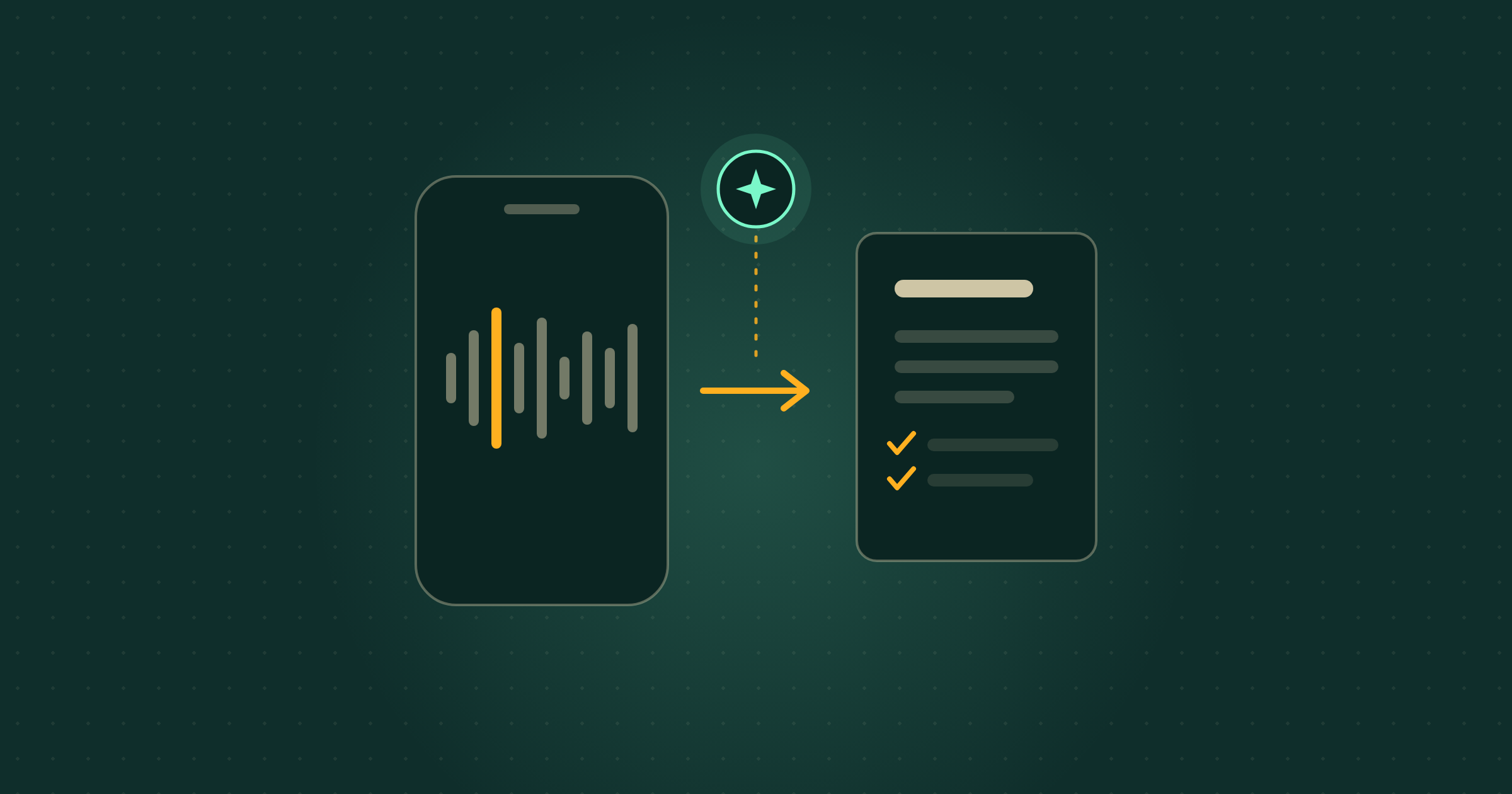
    On 13 August 2026 Google started rolling out “Take notes for me” for meetings held in the same room rather than on a video call. Put a phone on the table, and Gemini writes the summary, the action items and the full transcript into a Google Doc. It is included in Workspace Business Standard and above, and in a personal Google AI Pro plan, so most businesses that get it are already paying for it.

    On 13 August 2026, Google announced that Google Meet’s “Take notes for me” now works for in-person meetings. In plain terms: you can start a note-taking session on your phone during a face-to-face meeting and get back a written summary, a list of action items and a full transcript, without anyone in the room writing anything down.

    Most of the coverage stops at the demo. Three things matter more if you run a business. It is not on every plan, and the cheapest Workspace tier is missing from Google’s own list. It is not everywhere yet, and on iPhone it does not start until the end of August. And Google’s help page says nothing about telling the other people in the room that they are being recorded, which in the UK is your problem rather than Google’s.

    What actually changed?

    Google Meet’s note-taker used to require a video call. Gemini, the Ai assistant built into Google’s apps, sat in the meeting and wrote it up afterwards. If the meeting was in a room, on a site visit or across a café table, you were back to a notebook.

    You can now open Google Meet on the web or on your phone, choose “Take notes” from the home screen, and record the room instead. Nobody starts a call and nobody joins anything. When you press stop, Google’s post says the system “automatically compiles a structured notes summary, action items, and complete transcript into a Google Doc, saved directly to Google Drive, and emails the link to you.” The document lands in the Drive of whoever switched the feature on, and you can pause and resume mid-meeting.

    Source: Google Workspace Updates, “Take Notes for me for in-person meetings is now available”, 13 August 2026

    Which plans get it?

    Google lists the qualifying editions directly. On a work account: Business Standard and Business Plus, Enterprise Standard and Enterprise Plus, and Frontline Plus. On a personal account: Google AI Pro and Google AI Ultra. In education: the Google AI Pro for Education add-on.

    Two absences are worth knowing about before you plan anything. Business Starter, the cheapest paid Workspace tier and the one a lot of small UK firms sit on, is not on that list. Neither is the free Gemini tier. If you are on either, this is an upgrade decision rather than a new button.

    Your administrator also has a say. Google says the feature “will be controlled by existing Google Meet notes settings”, so if your organisation switched the note-taker off, this arrives switched off too.

    When can I actually use it?

    Sooner on Android than anywhere else. Google’s published rollout has Android starting on 11 August 2026, the web starting no sooner than 14 August 2026, and iOS no sooner than 31 August 2026. All three are flagged as an extended rollout, which Google defines as “potentially longer than 15 days for feature visibility”. If you are on an iPhone and it is not there, nothing is broken. It has not reached you yet.

    Do I have to tell people they are being recorded?

    Google’s own help page for this feature gives no guidance on that at all, and that silence is the thing to pay attention to. Recording a meeting captures the voices of identifiable people, which makes it personal data under UK data protection law, and the responsibility for handling it sits with you rather than with Google.

    The practical version is short. Say it out loud before you press start, and put a line in the calendar invite so nobody is surprised. If someone objects, take notes the old way. If the meeting covers anything sensitive, such as a disciplinary or a client’s finances, get advice from whoever handles your data protection first. The transcript also lands in one person’s Drive, so decide whose account runs it and who may see the file.

    How long does the meeting need to be?

    Google’s help documentation recommends a length of 15 minutes or more for good results. A five-minute corridor conversation is not what this is for. An hour with a client, a supplier review or a Monday team meeting is.

    What this means for your business

    Take a three-person building firm doing two client site visits a week. At the moment someone types half-remembered notes into their phone in the van afterwards, and six weeks later there is a polite disagreement about what was agreed on the kitchen extension. With this, the Android phone sits on the worktop, the visit is recorded, and by the time they are back at the office there is a Google Doc holding the scope discussed, the action items and a transcript they can search when the client’s memory and theirs part company.

    The cost verdict is simple. If you already pay for Workspace Business Standard or a personal Google AI Pro plan, this is included and trying it takes about a minute. If you are on Business Starter or the free Gemini tier, do not upgrade for this alone until you have tested how it copes with your actual meetings. The honest caveat: this is a phone microphone in a real room, so people talking over each other, strong accents and a noisy café all produce a worse transcript than a headset on a video call. Read the document before you forward it, and treat the action items as a first draft.

    What to ignore

    Ignore the wave of standalone Ai note-taker apps being sold hard at small businesses right now, at least until you have checked what you already own. If you pay for Business Standard or Google AI Pro, you are being asked to buy something twice. Ignore the launch-day urgency too: the web starts no sooner than 14 August and iPhones no sooner than 31 August, so there is no advantage in hunting for a button that has not arrived. And ignore the framing that this removes the need for a human to run the meeting. It writes down what was said. Deciding what matters is still the job.

    What should a small business do next?

    Three steps, none of them long. First, check which plan you are on, in your Google Admin console or your personal Google One plan page, against the qualifying list above. Second, if you have an Android phone, open Google Meet, look for “Take notes” on the home screen and run it on one internal meeting of 15 minutes or more, so the first time is not in front of a client. Third, write one sentence for your calendar invites and say it out loud at the start of any recorded meeting, so consent is handled the same way every time rather than remembered on the day.

    If you already lean on Gemini elsewhere, this joins a run of the same idea landing across Google’s apps: Gemini writing and editing inside Google Docs, custom refine instructions in Gmail, and dictation on the Mac. The pattern is the same each time. The tool is capable, and the value comes from deciding which job you hand it and what you do with the output. That decision is what our Membership hours exist for.

    Where Breezi fits

    A tool that writes your meeting notes is a good week. A business where those notes turn into the follow-up email, the quote and the diary entry without you doing it twice is the point. Membership gives you bespoke hours with a senior Ai team every month: you bring the problem, we build the prompt, workflow or automation that handles it. Lahat Creative, a UK marketing agency, reclaimed up to 30% of their working hours every month doing exactly that. Consultancy does the same at the scale of a team or a whole organisation, the way we did for the financial platform Uphold.

  • ChatGPT ads are live in the UK. What it means for your business

    ChatGPT ads are live in the UK. What it means for your business

    ARTICLE

    ChatGPT ads are live in the UK. What it means for your business

    On 11 August 2026, OpenAI confirmed that ChatGPT Ads has launched in the United Kingdom. Sponsored ads now sit under answers on the Free and Go plans, and UK businesses can open an advertiser account for the first time. On Plus, Pro or Business, nothing on your screen changes.

    On 11 August 2026, OpenAI announced that ChatGPT Ads has launched in the United Kingdom, alongside Mexico, Brazil, Japan and South Korea. In plain terms: British users on the free and cheapest ChatGPT plans will start seeing labelled sponsored ads underneath answers, and UK businesses can now sign up to buy those ads.

    Two things happened at once, and most coverage carries only the first. UK users became an audience, and UK businesses became eligible buyers: OpenAI’s Ads Manager availability page now lists the United Kingdom as available. It is open, in beta, with almost no public performance data behind it.

    Last updated 1 September 2026: on 31 August OpenAI said ChatGPT Ads has passed a $1 billion annualised revenue run rate, opened self-service buying across Europe, India, the Middle East and North Africa, and published its first advertiser results. Covered below, along with the 19 August European expansion.

    What actually changed?

    ChatGPT Ads began as a United States test on 9 February 2026, expanded to Canada, Australia and New Zealand in the spring, and has now reached the UK. Ads appear below the end of a response, labelled as sponsored and visually separated from the answer. They are matched to what you are discussing in the current chat and, where ads personalisation is on, to signals from your wider ChatGPT use such as past chats and memory.

    The tier rules are the part worth reading twice. OpenAI states that ads may appear for people on the Free and Go plans, and that Plus, Pro, Business, Enterprise and Education accounts will not have ads. Under-18 accounts are not shown ads at all.

    Source: OpenAI, Testing ads in ChatGPT (updated 11 August 2026)

    Will I see ads on my plan?

    Only if you or your staff are on the free tier or ChatGPT Go. OpenAI’s published position, by plan:

    PlanAds shownAd-free
    FreeAd-supported by defaultYesOnly via the Ads-Free option
    GoLowest paid tierYesNo
    PlusNoYes
    ProNoYes
    BusinessNoYes
    Enterprise and EducationNoYes

    From OpenAI’s Ads in ChatGPT help article. Ads also never appear in Temporary Chats, on any plan.

    Do ads change the answers ChatGPT gives?

    OpenAI says no, and states it plainly: “Ads do not influence the answers ChatGPT gives you.” Its help centre adds that ads run on separate systems from the chat model and that advertisers cannot shape, rank or alter responses. Ads are paid placements, so an ad under an answer about accounting software is an advert, in the way a sponsored result at the top of Google is an advert. It is not a recommendation from ChatGPT.

    What can advertisers see about my conversations?

    Nothing you typed. OpenAI states that advertisers do not get your chats, chat history, memories, name, email, precise location or IP address, and that it does not sell user data to advertisers. What an advertiser receives is aggregated performance reporting, such as total views and clicks.

    There are topic exclusions too. Ads are not eligible near sensitive or regulated subjects including personal health, mental health and politics, and OpenAI says it does not currently allow political advertising in ChatGPT at all. Ads data is retained for up to 30 days after you delete it.

    Can I turn them off?

    There are two switches and they do different things. Turning off ads personalisation keeps the ads but stops OpenAI using past chats, memory and ads history to choose them, so you still see ads based on the current conversation. The Ads-Free option on the Free plan removes ads completely, in exchange for lower message limits and reduced access to tools such as image generation and deep research. Both live under Settings, in Ads controls.

    One wrinkle has since been tidied up. When this piece first ran, OpenAI’s help article still described ad controls as a United States feature. It was updated on 18 August 2026 and now says they are available to Free and Go users in regions where ads are available or will soon be available, which covers the UK. The same update adds that personalised ads are not initially available in the European Economic Area or Switzerland, so someone using ChatGPT in Dublin or Zurich sees ads matched to the current conversation only.

    Can my business advertise in ChatGPT now?

    Yes, and that is genuinely new for the UK. OpenAI’s Ads Manager availability page lists the United Kingdom alongside the United States, Canada, Australia, New Zealand, Japan, Korea, Brazil and Mexico, and UK-based businesses can sign up directly through ads.openai.com rather than joining the interest list at openai.com/advertisers.

    What you get is early. OpenAI describes ChatGPT Ads as in beta and in the early stages of scaling, after a pilot that ran from February to April. Ads Manager Beta covers campaign creation, billing, access management, reporting, conversion measurement and cost-per-click bidding. OpenAI also says the platform does not yet have performance benchmarks across advertisers, industries or campaign types, which is a candid way of saying nobody can tell you what good looks like yet.

    What does the European expansion change for a UK business?

    Very little this month, and possibly a lot by the autumn. On 18 August 2026 OpenAI said ChatGPT Ads will expand to 31 European countries in the week that follows, naming Germany, France, Spain, Italy, Sweden, Norway, Denmark, the Netherlands and Austria among them. The UK is not in that group because it went live separately on 11 August.

    The rules travel with the ads. In those countries, as here, they will show only to people on the Free and Go plans, and Plus, Pro and Enterprise stay ad-free. What differs is how a business gets in. European advertisers start through OpenAI’s Ads Solutions team, agency partners and technology partners, and OpenAI says “Self-service access through Ads Manager will follow later this summer.” UK businesses already have that self-service route.

    OpenAI also set out what it has built since the February pilot: bidding towards conversions as well as impressions and clicks, geo-targeting, custom audiences, and measurement through the OpenAI Pixel and a conversions API. It says tens of thousands of marketers have now advertised on ChatGPT.

    The question it has not answered is the one a UK exporter asks first: whether a UK-registered advertiser can point campaigns at those new European markets. OpenAI’s Ads Manager availability table still listed nine countries when we read it on 19 August 2026, with the UK the only European entry, and it covers where an advertiser can register rather than where their ads can appear. Ask OpenAI directly before you budget for it.

    Source: OpenAI, ChatGPT Ads expands across Europe (18 August 2026)

    Is ChatGPT advertising actually working yet?

    There is a first piece of evidence, and it comes from OpenAI. On 31 August 2026 it said ChatGPT Ads has reached a $1 billion annualised revenue run rate in less than 200 days, that self-service buying through Ads Manager is opening across India, Europe, the Middle East and North Africa, and it published two advertiser results, the first performance figures it has put out since the February pilot.

    The self-service route European advertisers were told to expect “later this summer” arrived on the last day of it. OpenAI’s Ads Manager availability page, read on 1 September 2026, lists 47 countries as available for self-service, including Germany, France, Spain, Italy, the Netherlands and Ireland alongside the United Kingdom. Read that table carefully, though: it says where a business can open an account, not where its ads can run. The question posed above, whether a UK-registered advertiser can point campaigns at German or French users, is still not answered anywhere OpenAI has published. Ask before you budget for it.

    Those results are the part worth reading slowly. OpenAI says one ecommerce advertiser reached “a 3x return on ad spend across its campaigns over 28 days”, and that one technology partner reported “more than 80% of ad-driven ChatGPT traffic is from new customers”. Those are two selected examples put forward by the company selling the ads, not a benchmark across advertisers, industries or campaign types. They tell you the channel can work. They do not tell you what it will do for you.

    The buying toolkit has filled out in the meantime. OpenAI says cost-per-click and outcome-optimised bidding now account for the majority of campaigns, that its Pixel and conversions API have become the basis for measurement, and that product feeds, geographic and platform targeting and custom audiences are in place. It counts more than 50 technology and measurement partners, and says the Ads Manager launch in May brought in small and medium-sized businesses, which “now represent a material share of the business”.

    What has not changed is who sees the ads. They still show only on the Free and Go plans, they are still labelled and separated from the answer, and OpenAI still states that “Advertising does not influence the answers ChatGPT provides.”

    Sources: OpenAI, A milestone in expanding access to AI (31 August 2026), and OpenAI’s Ads Manager availability list (read 1 September 2026)

    What this means for your business

    Take a six-person Guildford design studio. Two directors are on ChatGPT Plus, four staff use the free tier because nobody could justify six paid seats. Those four will now start seeing sponsored placements under their answers, and the directors will see none. Nothing breaks and no work is lost. What changes is that most of the team is now doing client research inside an ad-supported tool, and someone will eventually ask whether it is steering them. On OpenAI’s published position it is not, and the person who can say so with confidence should be you.

    The verdict on advertising: interesting, not urgent. If you sell something people research conversationally, a small capped test is a fair experiment for a business already running paid search well. For everyone else it is a distraction from channels you can measure. The honest caveat is that cost-per-click bidding with no published benchmarks means setting a price with no market reference, so treat any first month as the cost of learning rather than a campaign. OpenAI put out its first two advertiser results on 31 August 2026, but two examples chosen by the seller are not a benchmark, and the rule holds.

    What to ignore

    Ignore the idea that ChatGPT has become a worse tool overnight. The plans your business most likely pays for are unaffected, and ads sit below answers rather than inside them. This is the same shape as the recent expansion of free ChatGPT access: the free tier gets more generous, and advertising is what pays for it.

    Also ignore the rush of “how to win at ChatGPT ads” advice that followed the announcement. The platform is in beta, OpenAI says the formats and buying models are still changing, and anyone selling you a playbook is describing a product that has existed in your market for a matter of days.

    What should a small business do next?

    Two small jobs, both under ten minutes. First, find out who in your team is on the free tier and show them what a sponsored placement looks like, so they read it as an advert rather than an answer. That one conversation is worth more than any settings change.

    Second, if you are on the free tier yourself and prefer no ads, open Settings, look for Ads controls, and choose between turning off personalisation and the Ads-Free option with its lower limits. If enough of your work runs through ChatGPT for either to matter, the process around it deserves attention, and our write-ups of what ChatGPT Work does for a small team and OpenAI’s small business programme are the place to start. If you would rather have it built with you than read about it, that is what Breezi Membership is for.

    Where Breezi fits

    Ads arriving in ChatGPT is a good reminder that the tool your team uses every day is a product with a business model, and it changes. Membership gives you bespoke hours with a senior Ai team every month: you bring the problem, we build the prompt, workflow or automation that handles it. Lahat Creative, a UK marketing agency, reclaimed up to 30% of their working hours every month doing exactly that. Consultancy does the same at the scale of a team or a whole organisation, the way we did for the financial platform Uphold.

  • ChatGPT Atlas shuts down on 9 August. What to do before then

    ChatGPT Atlas shuts down on 9 August. What to do before then

    ARTICLE

    ChatGPT Atlas shuts down on 9 August. What to do before then

    OpenAI is retiring Atlas, the browser it built with ChatGPT inside it. It is scheduled to stop working on 9 August 2026, and your bookmarks, open tabs and history do not move themselves. This is the ten-minute job to do first, and what to browse with instead.

    On 9 July 2026, OpenAI announced it is discontinuing ChatGPT Atlas and moving browser-based Ai work into ChatGPT itself. Atlas is scheduled to stop working on 9 August 2026. In plain terms: if you or anyone on your team browses in Atlas, export your bookmarks before the weekend is out.

    This is a deadline, not a launch. OpenAI gave what it calls an approximate 30 day wind-down period when it announced the change on 9 July, and it runs out on Sunday. The part the coverage skipped is the dull and important bit: nothing in Atlas moves on its own. Bookmarks, open tabs and browsing history all stay behind unless you take them with you, and after 9 August OpenAI says Atlas may no longer open at all.

    What actually changed?

    OpenAI is retiring Atlas, its standalone browser, and folding the browser-style Ai features into ChatGPT and Codex instead. Codex is OpenAI’s coding tool, which most business readers will never open, so for everyday purposes the answer is ChatGPT. OpenAI says it is building on what it learned from Atlas to support a more capable browser experience in ChatGPT, including multiple tabs, downloads, improved navigation and account login support. Your ChatGPT account is a separate thing from the browser and carries on as normal.

    Source: OpenAI Help Center, Evolving Atlas into ChatGPT for browser-based agentic work

    What happens to my bookmarks, tabs and history?

    They stay in Atlas unless you export them. OpenAI’s help page is blunt about each one. Bookmarks will not transfer automatically, so export them from the Atlas bookmark manager as an HTML file, then import that file into Chrome or whichever browser you move to. Open tabs may not transfer, so bookmark anything you are part-way through or copy the addresses into a document. Browsing history may not transfer either, so save the pages you know you will want later.

    Cookies and signed-in sessions are the awkward one. OpenAI says Atlas will provide export options where available, and that cookies and active sessions cannot be imported into another browser. Those files are worth treating as sensitive, because they can carry live access to accounts you are already signed into. OpenAI’s own guidance is not to share them unless you trust the recipient and understand what access they give.

    Is the ChatGPT Atlas shutdown a security risk if I ignore it?

    After 9 August, yes. In OpenAI’s words: “Browsers require ongoing security maintenance, and we do not want users to remain on a discontinued browser that may degrade or stop receiving security updates.” A browser that has stopped getting patches is a lock nobody makes keys for any more. That is the strongest reason not to let one person on the team stay on Atlas because they never got round to moving.

    What replaces it?

    Two things, depending on what you used Atlas for. For anything agent-like, where software carries out a multi-step job rather than answering a single question, OpenAI points people to the ChatGPT desktop app. For ordinary browsing with Ai alongside, it points to the ChatGPT extension or sidebar in Chrome, where that is available to you. If you want the fuller picture of what OpenAI means by an agent that produces finished work, we wrote about it when ChatGPT Work launched in July.

    Does this affect my ChatGPT chats?

    No. OpenAI states that ChatGPT conversation history is separate from Atlas browser data, and that you can carry on using your conversations in ChatGPT, subject to your plan, workspace settings and account access. The thing being switched off is the browser, not the assistant.

    What this means for your business

    Take a six-person design studio where two people tried Atlas last autumn and quietly kept it. Each of them needs about ten minutes: open Atlas, export bookmarks to an HTML file, import that file into Chrome, then add the ChatGPT extension so they still have Ai on the page. Nothing to buy, nothing to learn. The cost of skipping it is losing a year of saved references and leaving an unpatched browser on a work laptop.

    Verdict: a ten-minute admin job, not a project, and this is the last weekend to do it. The honest caveat is that the thing people liked about Atlas, an Ai that could act on the page in front of them, is not fully replaced on day one. OpenAI describes several of the improvements coming to ChatGPT as arriving where available, which is not the same as everywhere.

    What to ignore

    The framing that this is OpenAI retreating from browsers, or losing a browser war to Google. It makes no difference to the ten-minute job in front of you. Also ignore the advice to rush out and adopt a different Ai browser instead. You do not need to change browsers to keep using ChatGPT, and the agent-in-your-browser category is still unsettled: Google’s own version, Gemini Spark, is not even available in the United Kingdom. The extension in the browser you already have covers most of what an ordinary business used Atlas for.

    What should a small business do next?

    Two steps, both free, and the first one is today’s job. Ask whether anyone installed Atlas. On a small team that is one message. Anyone who says yes exports their bookmarks to an HTML file and imports them into Chrome before 9 August. Second, if the appeal was having Ai on the page with you, add the ChatGPT extension or use the sidebar in Chrome, and keep the desktop app for longer jobs.

    If you run a workspace for your team, OpenAI also suggests checking who is using Atlas and updating any internal notes or onboarding documents that still point people at it. That kind of quiet housekeeping is exactly what our Membership hours get used for.

    Where Breezi fits

    A tool being switched off is a good reminder that someone should own this stuff. Membership gives you bespoke hours with a senior Ai team every month: you bring the problem, we build the prompt, workflow or automation that handles it. Lahat Creative, a UK marketing agency, reclaimed up to 30% of their working hours every month doing exactly that. Consultancy does the same at the scale of a team or a whole organisation, the way we did for the financial platform Uphold.

  • Free ChatGPT is going unlimited. What actually changes for your business

    Free ChatGPT is going unlimited. What actually changes for your business

    ARTICLE

    Free ChatGPT is going unlimited. What actually changes for your business

    On 6 August 2026 OpenAI said free ChatGPT accounts move to a newer default model, GPT-5.6 Luna, with unlimited text chats arriving the week after. If you have staff who bounced off ChatGPT because it kept running out, that reason has gone.

    On 6 August 2026, OpenAI announced that free ChatGPT users are being moved to GPT-5.6 Luna as their default model, with unlimited text chats and a new Think button following the week after. In plain terms: the version of ChatGPT your team can use without paying anything gets a better model and stops cutting them off mid-task.

    Most coverage led on the paid tiers. The part that matters to a small business is the free one. Until now, the honest answer to “should I put the whole team on ChatGPT?” involved a rate limit: free accounts ran out partway through a busy morning and dropped to a weaker model, usually without the person noticing why the answers got worse. Unlimited text chats removes that, though not every limit, and OpenAI is specific about which ones stay.

    What actually changed?

    Two changes shipped together. Free and Go accounts get GPT-5.6 Luna as their default model instead of the older GPT-5.5 Instant, plus unlimited text chats and a Think button that gives the model more time on a harder question. Plus and Pro accounts get an updated GPT-5.6 Sol, retuned for everyday conversation rather than long technical work, and a slider that controls how much thought ChatGPT puts into each answer.

    A note on the names, which are not self-explanatory. Luna is the smaller, faster model; Sol is the larger, more capable one. The Think button and the slider are two versions of the same idea: a control that tells ChatGPT to spend longer on an answer instead of replying immediately.

    Source: OpenAI, Improving GPT-5.6 Sol in ChatGPT and expanding access to GPT-5.6 Luna for free users

    What do free users actually get?

    Unlimited text chats, a newer default model, and the Think button. What free users do not get is unlimited everything. OpenAI’s own wording is blunt about it: “Limits will still apply for file uploads, images and other tools.” So an unpaid account can hold a conversation all day, but it will still hit a ceiling on uploading a stack of PDFs or generating images. OpenAI also notes the unlimited chats are subject to abuse guardrails.

    How do the tiers compare now?

    What you getFree and GoPlus and Pro
    Default modelafter this updateGPT-5.6 LunaGPT-5.6 Sol
    Text chatsUnlimitedfrom the week of 10 AugustUnlimited
    Control over thinking timeThink buttonper messageSliderweb, mobile and desktop
    File uploads, images, other toolsLimits still applyHigher allowances

    Built from OpenAI’s own announcement of 6 August 2026. Plus and Pro keep the stronger model, so paying still buys you something; what changed is that the free tier is no longer crippled by a chat cap.

    How much more accurate is it, really?

    OpenAI published one number, and it is worth reading carefully. In an internal evaluation of financial, medical and legal prompts requiring factual detail, responses containing at least one factual error were about 62% less common with GPT-5.6 Luna, and 68% less common with GPT-5.6 Sol, than with GPT-5.5 Instant.

    Two caveats sit on top of that. It is an internal evaluation, not an independent one, so treat it as the vendor’s own measurement. And fewer errors is not no errors: a model that is 62% less wrong on legal questions is still wrong often enough that you would not send its answer to a client unchecked.

    Fewer answers containing at least one factual error

    Reduction against GPT-5.5 Instant, on financial, medical and legal prompts requiring factual detail. Higher is better. Source: OpenAI internal evaluation, 6 August 2026.

    GPT-5.6 Luna62%
    GPT-5.6 Sol68%

    Does this cost extra?

    No. The free tier changes are free, which is the point of the announcement; OpenAI framed it as widening access, noting that every week 1 billion people turn to ChatGPT. Plus and Pro prices are unchanged, and those accounts get the retuned Sol and the slider at no extra charge.

    When does it reach my account?

    Plus and Pro users got the updated GPT-5.6 Sol and the slider on 6 August. Free and Go accounts move to GPT-5.6 Luna as the default in that same week, with unlimited text chats and the Think button starting the following week. Rollouts reach accounts in waves, so if a colleague has it and you do not, that is normal rather than broken.

    Does this change ChatGPT at work?

    Not directly. OpenAI was explicit that this version of GPT-5.6 Sol is tuned for everyday chat and is only available in the Chat experience in ChatGPT. The version of Sol that powers ChatGPT Work and Codex is not changing in this release. If your team is on ChatGPT Work, which we covered when it launched, nothing there moves today.

    What this means for your business

    Take a six-person letting agency where two people pay for ChatGPT Plus and the other four gave up on the free version because it kept running out by lunchtime. From next week those four have a capable model with no cap on conversation, which is enough for drafting tenancy correspondence, turning viewing notes into a summary, rewriting a listing for a different audience, or working out how to phrase an awkward email. That is the bulk of the day-to-day value, and the agency does not pay a penny more for it.

    The cost and effort verdict: nothing to buy, nothing to install, about ten minutes to tell your team the caps have changed and to point out the Think button. The honest caveat is that free accounts still hit limits on uploads, images and other tools, so anyone whose work is document-heavy will still want a paid seat. And a model that makes fewer factual mistakes is not one you stop checking, particularly on anything with a number, a date or a legal consequence in it.

    What to ignore

    Ignore the framing that this makes paid ChatGPT pointless. Plus and Pro still run the stronger model and carry higher allowances on the things free accounts are capped on, so a subscription still earns its money for anyone who lives in ChatGPT all day.

    Ignore the model names too. There is a wave of commentary comparing Luna against Sol against whatever a rival shipped this week, and none of it changes what you do on Monday. The useful question is not which model is ahead; it is whether the people in your business have stopped hitting a wall when they try to use one. This week, they have.

    What should a small business do next?

    Two low-effort steps. First, tell anyone who abandoned free ChatGPT to try it again next week, and show them the Think button, because most people never find it on their own and it is the difference between a shallow answer and a considered one. Second, pick the two or three tasks your team does by hand most often and write one good reusable prompt for each. Unlimited chats are only worth something if people know what to ask; a saved prompt beats a better model almost every time. Our note on OpenAI’s research into how people use ChatGPT at work is a reasonable place to look for candidates, and if you are weighing up paid seats, the way we work with members on exactly this may help.

    Where Breezi fits

    A better free model is a good week. A prompt, workflow or automation that quietly handles a job nobody has time for is the point. Membership gives you bespoke hours with a senior Ai team every month: you bring the problem, we build the thing that handles it. Lahat Creative, a UK marketing agency, reclaimed up to 30% of their working hours every month doing exactly that. Consultancy does the same at the scale of a team or a whole organisation, the way we did for the financial platform Uphold. We help UK businesses actually use Ai.
  • Gemini Spark in Chrome: what UK businesses need to know

    Gemini Spark in Chrome: what UK businesses need to know

    ARTICLE

    Gemini Spark in Chrome: what UK businesses need to know

    On 30 July 2026 Google put Gemini Spark, its background Ai agent, inside Chrome and opened access to Google AI Pro subscribers in over 160 more countries. Google’s own help page still excludes the United Kingdom. Here is what that changes for a business here, and what to set up instead.

    On 30 July 2026, Google announced that Gemini Spark now works with Chrome and that access is rolling out to Google AI Pro subscribers in over 160 additional countries. In plain terms: Google’s Ai agent can now sign into websites as you and finish routine web jobs on your behalf. If you are in the United Kingdom, you still cannot use it.

    Most coverage leads with the agent doing your errands while you sleep. Two details underneath it matter more. Britain is on Google’s exclusion list for Spark, so the 160-country expansion is not the one you are in. And Spark only runs on a personal Google Account, which rules out anyone whose working life sits on a Google Workspace account, wherever they live.

    What actually changed?

    Two things, announced together. Gemini Spark is an Ai agent, meaning software that carries out multi-step jobs for you rather than answering one question at a time. Google describes it plainly on its own product page: “Give it a task and it works in the background 24/7, even if your phone and laptop are turned off.”

    The first change is a Chrome integration Google calls auto browse. In Google’s words, “with your permission, Spark can use your logged-in accounts and saved passwords to handle tedious web errands, like scheduling viewings for apartments you’ve saved or researching flight options and starting the booking process”. Google says this happens “while protecting against threats like prompt injection and keeping you in the loop on sensitive actions, such as payments, by handing the task back to you”. Those capabilities are “initially rolling out in the U.S. with plans to expand to additional regions in the future”.

    The second change is access. Google is “rolling out access for Google AI Pro subscribers in over 160 additional countries starting today”. Until now, Google’s Spark page described the agent as available to Google AI Ultra subscribers in select countries plus some business users, so the direction of travel is wider and cheaper.

    Source: Google, “Gemini Spark now integrates with Chrome”, 30 July 2026

    Can UK businesses use Gemini Spark?

    No, not today. Google’s own help page for Spark states that the feature is “available wherever Gemini Apps are supported, except in the European Economic Area, Nigeria, Switzerland and the United Kingdom”. Google gives no reason for the exclusion and no date for lifting it. A Google AI Pro subscription does not change that: the country restriction sits on top of the subscription requirement, not instead of it.

    Worth saying out loud, because “over 160 additional countries” reads like a global switch-on and for British readers it is not one. If you looked for Spark today and could not find it, nothing is wrong with your account.

    What is auto browse, in plain English?

    It is the agent driving a web browser with your existing logins instead of asking you to do it. Google’s examples are booking travel and arranging viewings. The part to sit with is the sentence about saved passwords: the agent is handed the keys to sites you are already signed into. Prompt injection, the threat Google names, means hidden instructions buried in a web page that try to redirect the Ai away from your instruction and towards someone else’s.

    Google’s guidance on the same help page is blunt about the limits: “Do not enter sign-in info, payment details or info that you may find sensitive directly into the task thread.” An agent that acts on live websites is useful and it is also a new place for something to go wrong, and Google is saying so rather than hiding it.

    Would it work on a business Google account?

    No. Google requires a personal Google Account and states that Spark “isn’t available if you sign in with a work or school Google Account”. You also need a Google AI Pro or Ultra subscription and to be 18 or over, and Spark appears only in the Gemini mobile app, the Gemini app on Mac and the web app.

    For a small firm running on Google Workspace, that is the quiet blocker. Even on the day Britain is added, the account most of your work lives in would be the wrong one.

    What this means for your business

    Picture a four-person recruitment agency that starts every morning by logging into three job boards, checking new applicants and copying them into a spreadsheet. That is exactly the shape of job auto browse is built for, and it is the reason this launch is worth watching rather than ignoring. It is also, today, unavailable to that agency: wrong country, and probably the wrong type of Google account.

    The cost verdict is easy, then. Spend nothing and change nothing this week, and put the effort into the scheduled work you can already automate in the tools you pay for, covered below. The caveat for when it does arrive: an agent using your saved passwords is a decision to take deliberately, on a short list of sites you are comfortable handing over, not switched on everywhere because a demo looked impressive.

    What to ignore

    Ignore this week’s round of “your Ai agent now runs your admin while you sleep” posts. Not because agents are fake, but because the demonstrations attached to this launch are consumer errands, flights and flat viewings, and the product behind them is not sold here. Ignore, too, any advice to use a VPN or a different regional account to reach it early. That means handing your saved passwords to an agent in an unsupported setup, which is a poor trade for a feature that will arrive properly anyway.

    What should a small business do next?

    Set up the nearest thing that does work here. Scheduled actions in the Gemini app let you tell Gemini to run a prompt on a repeating schedule and have the answer waiting for you. Unlike the Spark page, Google’s help page for scheduled actions lists no country exclusion, and it accepts either a personal Google Account with a Google AI subscription or a work or school account on a qualifying edition of Google Workspace. You can have up to ten active at a time, and Keep activity has to be switched on.

    Start with one, not ten. A Monday 8am digest of your calendar and the week’s unanswered emails takes two minutes to set up and tells you within a fortnight whether this style of working suits you. Our notes on Gemini’s voice controls on the Mac and on Gemini inside Google Docs cover two more things in the same subscription that do work here, and OpenAI’s research on how work crosses job lines explains why the smallest firms feel this first.

    If you would rather someone worked out which of these is worth your time, that is what Membership is for.

    Where Breezi fits

    An agent that logs into websites for you is a good headline. A workflow that quietly handles the job you never get to on a Friday is the point. Membership gives you bespoke hours with a senior Ai team every month: you bring the problem, we build the prompt, workflow or automation that handles it. Lahat Creative, a UK marketing agency, reclaimed up to 30% of their working hours every month doing exactly that. Consultancy does the same at the scale of a team or a whole organisation, the way we did for the financial platform Uphold.

  • What Gemini voice on Mac means for your business

    What Gemini voice on Mac means for your business

    ARTICLE

    What Gemini voice on Mac means for your business

    On 29 July 2026 Google gave the Gemini app for macOS a voice mode that works in every window on your desktop. Hold the Fn key, talk, and tidy written text appears where your cursor is. The half worth knowing about is switched off until you turn it on.

    On 29 July 2026, Google announced new voice capabilities in the Gemini app for macOS. In plain terms: long-press the Fn key on your Mac, speak, and Gemini drops clean written text straight into whatever you are working in, whether that is an email, an invoice note or a WhatsApp reply in a browser tab.

    Most coverage will call this dictation, which undersells it and oversells it at the same time. What Gemini voice on Mac means for your business depends entirely on one setting. Out of the box you get transcription that has been cleaned up: the “ums” and “ahs” removed, mid-sentence corrections understood rather than typed out, and formatted text dropped at your cursor. Turn on a second option and Gemini can also read what is on your screen and act on it, so talking becomes a way of editing documents and files rather than only a way of writing sentences.

    What actually changed?

    Google added a voice trigger to its Mac desktop app. Long-pressing the Fn key, the function key on your Mac keyboard, starts listening in any window, not only inside the Gemini app. By default that gives you what Google calls intelligent dictation. In its own words, the feature is “rolling out globally to all users of the Gemini app for macOS in English, with more languages coming soon”. You download the app at gemini.google/mac.

    Source: Google, “Gemini for macOS adds new natural language capabilities”, 29 July 2026

    How is this different from the dictation I already have?

    It edits as it listens. Plain dictation writes down what you said, filler and false starts included, which is why most people try it once and go back to the keyboard. Google says its version strips the “ums” and “ahs”, catches mid-sentence corrections, and drops formatted text at your cursor. That is the difference between a transcript you then have to rewrite and a paragraph you can send.

    What does the reasoning setting add?

    Context. Google describes it as opting into Gemini reasoning through your settings, and once it is on, Gemini can understand what is on your screen and carry out a task rather than only write down words. Reasoning here means Gemini works out what you are asking for from what it can see, instead of treating your speech as text to be copied. Google gives three uses:

    • Pull the useful bits out of files. Select local files, images or documents on the desktop and say what you need from them, such as reading a set of records and summarising them into an email.
    • Rewrite text that is already on screen. Select it, say how you want it changed, and the new version replaces it. Google’s own example is “Turn these notes into an executive summary with a TL;DR at the top.”
    • Make and change images. Generate a visual by describing it, or point at one you already have and ask for a variation of it.

    Worth noting: reasoning is off until you switch it on, so anyone who installs the app and tries it for five minutes is testing the least interesting half.

    Does this cost extra?

    Google’s announcement names no price and no paid tier. It says the capability is rolling out globally to all users of the Gemini app for macOS in English. That reads as included rather than as an upgrade, but Google has not published a tier list for this feature, so check what your own account shows before you plan around it. If you are already paying for a Google plan with Gemini in it, nothing here suggests a second bill.

    Does it work on Windows?

    Not from this announcement. Google’s post covers the Mac app only, and the one expansion it commits to is more languages, not more operating systems. If your team is on Windows, this is one to file rather than act on.

    What this means for your business

    Take a three-person building firm. The owner spends the day on site and the evening writing up quotes, chasing materials and answering customer emails on a MacBook, and hates every minute of it. With this, the site notes get spoken into the quote document at 5pm instead of typed at 9pm, and a rambling voice note about a job becomes a customer-ready paragraph without a rewrite. The same trick works on the parts of admin nobody bills for: supplier chasers, handover notes, the reply to the awkward email you have been avoiding since Tuesday.

    Cost and effort verdict: an app download and about ten minutes, with nothing to configure beyond one setting, and Google names no price. The honest caveat is that speaking is not thinking. Voice makes it very easy to produce a lot of text quickly, and text produced quickly reads exactly like that. Anything going to a customer, a bank or an insurer still needs your eyes on it before it goes out. The second caveat is a judgement call rather than a fault: with reasoning on, Gemini is reading the screen and the files you point it at, and Google’s post does not say what is processed on your Mac and what leaves it, so keep genuinely confidential documents out of it until you know. If you want a view on which of your own tasks are safe to hand over, that is the kind of question our Membership hours get spent on.

    What to ignore

    Ignore the “you will never type again” framing. You will. Voice is better than the keyboard for first drafts, notes and anything you would otherwise put off, and worse for anything requiring precision: numbers, names, addresses, legal wording, prices. The useful habit is not switching to voice, it is noticing which jobs you have been avoiding because typing them is tedious, and doing those out loud. Also ignore the image generation demo. It is the most fun part of the announcement and the least likely to change your week.

    What should a small business do next?

    If you work on a Mac, install the app from gemini.google/mac, turn on the reasoning setting rather than leaving the default, and give it one real job today: the follow-up email you have not written. Ten minutes tells you whether it earns a place in your day. The same shift is already in tools you have, and we have covered it in ChatGPT’s voice model, in Gemini reading and using a screen, and in Gemini inside Google Docs. The pattern is always the same: the capability arrives quietly in something you already pay for, and almost nobody turns it on.

    Where Breezi fits

    A new feature is a good day. A feature that quietly runs the parts of your business you never have time for is the point. Membership gives you bespoke hours with a senior Ai team every month: you bring the problem, we build the prompt, workflow or automation that handles it. Lahat Creative, a UK marketing agency, reclaimed up to 30% of their working hours every month doing exactly that. Consultancy does the same at the scale of a team or a whole organisation, the way we did for the financial platform Uphold.

  • Gemini in Google Docs can now make your diagrams and handle your comments

    Gemini in Google Docs can now make your diagrams and handle your comments

    ARTICLE

    Gemini in Google Docs can now make your diagrams and handle your comments

    On 28 July 2026 Google shipped two Gemini features into Google Docs: one that generates and edits images, diagrams and infographics inside the document, and one that summarises, answers and replies to the comments on it. Both are rolling out now on Business Standard and above. Neither is on Business Starter or a free personal Google account.

    On 28 July 2026, Google announced two Gemini features for Google Docs. In plain terms: the diagram you would have built in another tool, and the comment thread you would have waded through on a Friday afternoon, can both now be handled inside the document itself.

    Most coverage of Gemini in Google Docs will lead with the pictures. The more useful half is the comments. Google has given Gemini the ability to read every comment on a document, tell you which issues are still unresolved, draft the replies and turn the feedback into suggested edits. If you run a business where documents go round three people before anything is agreed, that is the part worth ten minutes of your attention.

    What actually changed?

    Two separate announcements landed on the same day, both for Google Docs on the web. The first lets you ask Gemini to create and edit visuals without leaving the document. Google’s examples include asking it to “Add a diagram providing an overview of the proposal at the top of my doc”, or to change an existing image’s aspect ratio to 16:9. The images use the context of what you have already written, so the diagram is built from your text rather than from a blank prompt.

    The second gives Gemini four jobs on the comments in a document: summarise the threads and answer questions about them, add new comments on your behalf, draft replies to open threads, and suggest edits to the document based on what reviewers asked for. You reach both from the bottom bar or the Gemini side panel. Google notes that comment workflows are “currently only available for Google Docs users with edit access”, so a client you shared a view-only link with will not get them.

    Sources: Google Workspace Updates, Generate and edit visuals with Gemini in Google Docs and Streamline collaboration in Google Docs with Gemini-powered comment workflows, both 28 July 2026.

    Which Google plans get it?

    This is the question that decides whether the rest of the article matters to you. Google published an availability list for both features, and it is the same list. Anything not on that list does not get the feature.

    Your Google planOn Google’s availability list
    Business Standardthe common UK small-business tierYes
    Business PlusYes
    Enterprise Standard and PlusYes
    Google AI Pro and Ultrapersonal accountsYes
    Education Plus and the education add-onsYes
    Business StarterNot listed
    Free personal Google accountan ordinary gmail.com addressNot listed

    Availability as published by Google on 28 July 2026. The comment workflows post also lists the AI Expanded Access add-on.

    Does this cost extra?

    No, not if you are already on one of the plans above. There is no separate charge and no new product to buy. Two switches have to be on, though, and one of them is not yours: an administrator needs Gemini for Workspace in Drive enabled, and you need Workspace smart features turned on in your own settings. If you are the person who set up your company’s Google account, both of those are your job.

    When will I actually see it?

    Not necessarily today. Google describes a gradual rollout of up to 15 days for feature visibility, starting on 28 July 2026, for both rapid release and scheduled release domains. So if you look now and see nothing, the honest answer is to check again in a fortnight rather than to conclude you are on the wrong plan. The visuals feature is also web only for the moment, so nothing will appear in the Docs app on your phone.

    What this means for your business

    Take a five-person design and print firm writing a proposal for a new client. Today, the process diagram gets built in a separate tool, exported, and pasted in slightly the wrong size. From now on, on Business Standard, you write the proposal and then ask Gemini for a diagram summarising it at the top. When two colleagues leave eleven comments overnight, you ask what the unresolved issues are, get the list, and have the replies drafted while you make the coffee.

    Cost and effort verdict: nothing extra to pay on the listed plans, and about ten minutes to find out whether it is any good on a document you have already written. The honest caveat: Gemini builds the diagram from what your document says, not from what is true, so a wrong number in paragraph four becomes a wrong number in the picture at the top, where people are far more likely to believe it. The same applies to comment replies, which go out under your name. Read before you send, every time. If you want a second pair of eyes on where this fits into how your team actually works, that is the sort of thing our Membership hours get used for.

    What to ignore

    Ignore the framing that this replaces your design tools. It does not. A diagram generated inside a document is for the internal proposal, the process explainer and the board paper, not for the brochure that carries your brand. If you need artwork that looks like you made it on purpose, that job still belongs somewhere like Canva.

    Also ignore the idea that Ai now runs your document reviews. It reads the comments and drafts the answers. It does not know which of your colleagues is usually right, which comment is really about last month’s argument, or which client will notice that you agreed to something on a Tuesday. Those decisions are still entirely yours, and they are the ones that carry the risk.

    What should a small business do next?

    Open a document you have already written, ideally one with a few comments on it, and try two prompts. Ask “Based on the comments, what are the unresolved issues?” and see whether the answer matches your own read. Then ask for a diagram summarising the document and see whether it is usable or merely decorative. Ten minutes tells you more than any launch post will.

    If nothing appears, check the two switches before you check your plan: Workspace smart features in your settings, and Gemini for Workspace in Drive on the admin side. This is the same pattern as the custom refine instructions Google added to Gmail and the editable presentation generation in Slides: Google keeps adding Gemini into the tools you already pay for, and most businesses never turn the settings on.

    Where Breezi fits

    A new feature is a good day. A feature that quietly removes an hour a week from your team is the point. Membership gives you bespoke hours with a senior Ai team every month: you bring the problem, we build the prompt, workflow or automation that handles it. Lahat Creative, a UK marketing agency, reclaimed up to 30% of their working hours every month doing exactly that. Consultancy does the same at the scale of a team or a whole organisation, the way we did for the financial platform Uphold.

  • OpenAI’s task crossover research: what it means for small businesses

    OpenAI’s task crossover research: what it means for small businesses

    ARTICLE

    OpenAI measured Ai crossing job lines. Small businesses do it most

    On 27 July 2026 OpenAI published research on how people actually use ChatGPT at work. Once routine requests are stripped out, 43.5% of job-specific requests are for work that belongs to somebody else’s profession. The smallest businesses cross those lines more often than anyone.

    On 27 July 2026, OpenAI published research called Work at the Frontier, based on more than 800,000 work messages from ChatGPT business users in the United States. It found a pattern it calls task crossover. In plain terms: people are routinely using Ai to do jobs that are not theirs, and the fewer specialists a business has, the more it happens.

    Task crossover is what happens when a marketer troubleshoots a website instead of waiting for a developer, or a salesperson interrogates a customer spreadsheet instead of queuing behind an analyst. Most coverage of this research has framed it as a story about the future of jobs. For a small business it is a much more immediate story, because it puts a number on something owners have been quietly doing since ChatGPT arrived, and it says the smallest firms are furthest down that road.

    What is task crossover?

    It is OpenAI’s name for one person’s Ai doing another profession’s work, and the research measures how often that happens. OpenAI’s researchers took more than 800,000 work-related ChatGPT messages from business users in the United States and threw away the boring half. Requests that any employee in any role could send, drafting an email, summarising a document, sorting a calendar, tell you nothing about someone’s profession, so they were excluded. What remained were requests tied to a particular professional skill.

    Within that narrower group, 43.5% were for tasks that normally belong to a different occupation. To sort them, the team mapped each request onto O*NET, the United States Department of Labor’s database that describes what each occupation actually does, then compared the task to the job the person appeared to hold. When the two did not match, it counted as crossover.

    OpenAI’s chief economist put the finding plainly:

    “The boundaries between jobs are likely already becoming more flexible due to AI,” Ronnie Chatterji, chief economist at OpenAI, in an interview with Axios

    Source: OpenAI, How AI is expanding what people do at work, 27 July 2026. OpenAI’s own page blocks automated access, so every figure here was confirmed against the reporting of the research by The Decoder, IBTimes and Tech Times, which all trace back to Axios’s exclusive on the report.

    Which jobs borrow the most?

    Customer-facing and creative roles, by a distance. Customer experience staff top the list, with roughly three-quarters of their job-specific prompts asking for another profession’s work. Designers and HR sit just behind them. Engineers are the outlier at the other end: they mostly stay inside their own subject.

    Share of job-specific ChatGPT requests that cross into another profession

    Higher means more of that role’s specialist requests are for somebody else’s work. Generic requests such as email drafting are excluded. Figures from OpenAI’s Work at the Frontier report as carried in reporting on it; the top three are corroborated at roughly three-quarters by two outlets.

    Customer experience77%
    Designers75%
    HR69%
    Legal56%
    Marketers53%
    Engineers28%

    There is a second pattern worth knowing, because it explains where the pressure lands. Marketing tasks travel outward more than any other kind: non-marketers ask ChatGPT for marketing work more often than they ask for anything else. Design goes the other way, with designers borrowing widely from other fields while few people outside design borrow from them. If you have ever wondered why every non-marketer in your business is suddenly writing their own campaign copy, that is the finding.

    Why does this matter more to a small business?

    Because small businesses were already doing it, and the data now says so. At businesses with two to five ChatGPT seats, about 19% of all work requests crossed occupational lines, against about 16% at larger organisations. That is not a dramatic gap, but the direction is consistent with the obvious explanation: when there is no marketing department to ask, the person with the question asks the Ai instead.

    That reframes what an Ai subscription is for. It is not really buying you a faster writer. It is buying partial access to skills you have never had on the payroll, at the exact moment you need them, which is a different purchase with a different set of risks.

    Does this mean you can stop paying specialists?

    No, and OpenAI does not claim it does. The researchers were explicit that the study measures what people ask for, not what they get. It does not establish whether Ai is creating genuinely new cross-functional work or simply helping people with duties that were already part of their job, and it does not measure whether the output was any good, whether anyone got more done, or whether a single hiring decision changed as a result.

    That gap matters. “A salesperson asked ChatGPT to analyse a customer dataset” and “a salesperson produced analysis an analyst would sign off” are very different sentences, and this research only supports the first one.

    What this means for your business

    Take a five-person consultancy with no designer, no marketer and no in-house lawyer. This research says its people are already using Ai for all three jobs, and the honest question is not whether to allow that but where the line sits. A workable split: let Ai do first drafts of anything internal or low-stakes, a job advert, a landing-page draft, a first pass at a client report, a plain-English summary of a contract so you know what to ask about. Keep a human specialist on anything that is signed, filed, regulated or published under your name. A contract summary is a briefing for your solicitor, not a replacement for one.

    Cost and effort: no new spend. This is a policy decision and a conversation, not a purchase, and you can make it this week with the tools you already pay for. The honest caveat is the one OpenAI raises itself. This is United States business data, it measures requests rather than results, and Ai confidently producing something that looks like a specialist’s work is exactly the failure mode to plan for. The risk is not that your team asks. It is that nobody checks.

    What to ignore

    Ignore the framing you will see most, which is that this proves specialists are finished and the era of job titles is over. The research does not test that and its authors say so. Ignore, too, the mirror-image panic that your staff are quietly doing unqualified legal and financial work behind your back. Most crossover in this data is mundane: a bit of copy, a spreadsheet formula, a plain-English explanation of a rule. Treating it as a compliance incident will simply push it out of sight. The useful response is a short written rule about what needs a human sign-off, not a ban.

    What should a small business do next?

    Two low-effort steps, both free. First, spend ten minutes listing the jobs your business has no specialist for, and mark which ones people are already asking Ai to do. That list is your real Ai use case, and it is usually more honest than any strategy document. Second, write three or four lines on what always needs a qualified human: anything legally binding, anything filed with a regulator, anything published under your business name. Put it where people can see it. That is the whole policy, and it does more good than another tool.

    If you want the fuller picture of where OpenAI is pointing this, it fits alongside ChatGPT Work and what it does for small businesses and the OpenAI small business programme. If you would rather judge which Ai to point at these jobs, our note on Claude Opus 5 covers the current state of play on business tasks.

    Where Breezi fits

    Knowing your team is doing four jobs with Ai is one thing. Making the output good enough to send is another. Membership gives you bespoke hours with a senior Ai team every month: you bring the job you have no specialist for, we build the prompt, workflow or automation that handles it properly. Lahat Creative, a UK marketing agency, reclaimed up to 30% of their working hours every month doing exactly that. Consultancy does the same at the scale of a team or a whole organisation, the way we did for the financial platform Uphold.

  • Claude Opus 5 is here. What actually changes for your business

    Claude Opus 5 is here. What actually changes for your business

    ARTICLE

    Claude Opus 5 is here. What actually changes for your business

    Anthropic released Claude Opus 5 on 24 July 2026. It is now the strongest model on the Claude Pro plan, and Microsoft added it to Microsoft 365 Copilot the same day. If you already pay for either, you have a better model without paying more.

    On 24 July 2026, Anthropic launched Claude Opus 5. In plain terms: the Ai you already have a subscription to just got noticeably better at long, multi-step jobs, and you do not have to do anything to get it.

    Most model launches are written for developers, which is why business owners skip them. This one is worth two minutes because it reached the consumer plans and Microsoft 365 Copilot the same day, not months later. The part the coverage skips: the gain is not raw cleverness, it is that the model checks its own work before handing it back.

    What actually changed?

    Claude Opus 5 replaces Opus 4.8 at the top of Anthropic’s everyday model range. Anthropic describes it as “a thoughtful and proactive model that comes close to the frontier intelligence of Claude Fable 5 at half the price”. Fable 5 is Anthropic’s heavyweight research model, so the claim is that you get close to the expensive one for everyday money.

    It is the new default model on Claude Max and the strongest model available on Claude Pro. For developers the price is unchanged from its predecessor, at 5 US dollars per million input tokens and 25 per million output tokens. A token is roughly three quarters of a word, and the unit Ai companies bill by.

    Source: Anthropic, Introducing Claude Opus 5, 24 July 2026

    What does Claude Opus 5 mean for a small business?

    In practical terms it shows up in four places, two of which an ordinary business already pays for.

    WhereWhat changed on 24 July
    Claude ProAnthropic’s paid consumer planOpus 5 is now the strongest model on the plan
    Claude MaxAnthropic’s higher consumer tierOpus 5 is the new default model
    Microsoft 365 CopilotWord, Excel, PowerPoint, Chat, Cowork, StudioOpus 5 added to the model selector
    Claude APIfor anything custom-builtAvailable as claude-opus-5, same price as Opus 4.8

    Availability from Anthropic’s and Microsoft’s own launch posts. Microsoft notes that “availability may vary by region and tenant configuration”, so it may not have reached your tenant yet.

    The Microsoft side matters more than it sounds. Microsoft said it was “expanding model choice in Microsoft 365 Copilot with the addition of Anthropic’s latest model”. That is a dropdown in software a lot of UK businesses already have on every desk, and picking a different model there is a dropdown, not a project. If you use neither Claude nor Copilot, this launch changes nothing for you today and you can file it.

    Is it actually better, or is that marketing?

    Both, depending which number you look at. The benchmark most relevant to a business is Zapier’s AutomationBench, which tests whether a model can finish a business task from start to end rather than answer a question. Anthropic reports Opus 5 passing at around 1.5 times the rate of the next-best model for the same cost per task. Zapier’s chief executive described what that looked like in practice:

    “Claude Opus 5 topped Zapier’s AutomationBench leaderboard without spending more tokens than prior Claude models. It took a raw account-health workbook and ran a full churn-prevention sequence end to end: flagging at-risk accounts, alerting the right owner, and summarizing for retention ops. Previous models didn’t pass; Opus 5 hit 100%.” Wade Foster, chief executive of Zapier, quoted in Anthropic’s launch post

    Strip the jargon and that is: it read a messy spreadsheet of customers, worked out which were about to leave, told the right person, and wrote the summary. A real small-business job, not a puzzle.

    Two caveats from Anthropic’s own post, in fairness. Opus 5 remains behind Anthropic’s Mythos 5 model on cybersecurity tasks, and these are the vendor’s own benchmark results with no independent test yet.

    Does this cost extra?

    Not on the plans you already pay for. On Claude Pro and Claude Max, Opus 5 arrives inside the existing subscription. Anthropic also offers a “Fast mode” that runs around 2.5 times the default speed, and that one does cost more: twice the base price.

    Microsoft did not state any extra charge for adding Opus 5 to the Microsoft 365 Copilot model selector, and did not state that it is included either. If your Copilot bill matters, check the Microsoft 365 roadmap before assuming.

    Is it safe to let it do more?

    Safer than the model it replaces, on Anthropic’s own testing: its automated behavioural audit found Opus 5 to be its most aligned model to date, scoring 2.3 on overall misaligned behaviour, the lowest of its recent models. “Aligned” means the model does what it was asked rather than quietly doing something else. That is the vendor marking its own homework, so the rule has not changed: check the output before it reaches a customer.

    What this means for your business

    Take a six-person letting agency that keeps its tenancy renewals in one spreadsheet. The job nobody has time for is going through it monthly to work out which tenancies expire in the next 90 days, which tenants have logged repeat maintenance issues, and who needs a call before they look elsewhere. Same shape as the Zapier example: read a messy sheet, apply judgement, produce a short list and a summary. That is the first work worth re-testing on Opus 5, because older models tended to lose the thread halfway through.

    Cost and effort verdict: no new spend if you already pay for Claude Pro or Microsoft 365 Copilot, and about an hour to re-run a task that previously failed. The honest caveat: a model that verifies its own work is not a model that is always right. It still needs someone who knows the business to read the answer before anyone acts on it.

    What to ignore

    Ignore the benchmark league tables. You will see charts comparing Opus 5, Fable 5 and rivals on names like Frontier-Bench, CursorBench, ARC-AGI 3 and OSWorld. They measure agentic coding and novel problem solving, and none of it predicts whether the model will write a decent quote for your customer. Ignore the “half the price of the frontier model” framing too, unless you are building on the API: on a consumer plan you pay a subscription, so the token price is not your price.

    Also ignore the pressure to switch tools. A better model inside the subscription you already have is the cheapest upgrade going. Moving your team to a new platform to chase a benchmark is not.

    What should a small business do next?

    One low-effort step, this week. Find a task you tried with Ai six months ago that fell apart halfway through: a messy spreadsheet you wanted summarised, a long document you wanted turned into a briefing, a set of records you wanted sorted into a priority list. Run it again, unchanged, on Opus 5 in Claude or through the model selector in Microsoft 365 Copilot. Longer multi-step work is where this release claims to have improved, so a task that failed before is the fairest test you can run.

    If it works, write down the prompt. That habit is the difference between a good afternoon and a process. It is the approach we took with ChatGPT Work and what it means for small businesses, and where our note on Claude Fable 5 returning ended too. For something needing no subscription at all, start with Canva Code 2.0 reaching the free plan.

    Where Breezi fits

    A new model is a good day. A model that quietly runs the parts of your business you never have time for is the point. Membership gives you bespoke hours with a senior Ai team every month: you bring the problem, we build the prompt, workflow or automation that handles it. Lahat Creative, a UK marketing agency, reclaimed up to 30% of their working hours every month doing exactly that. Consultancy does the same at the scale of a team or a whole organisation, the way we did for the financial platform Uphold.